 Milksy Get Milksy
The handover shouldn’t need a memory test
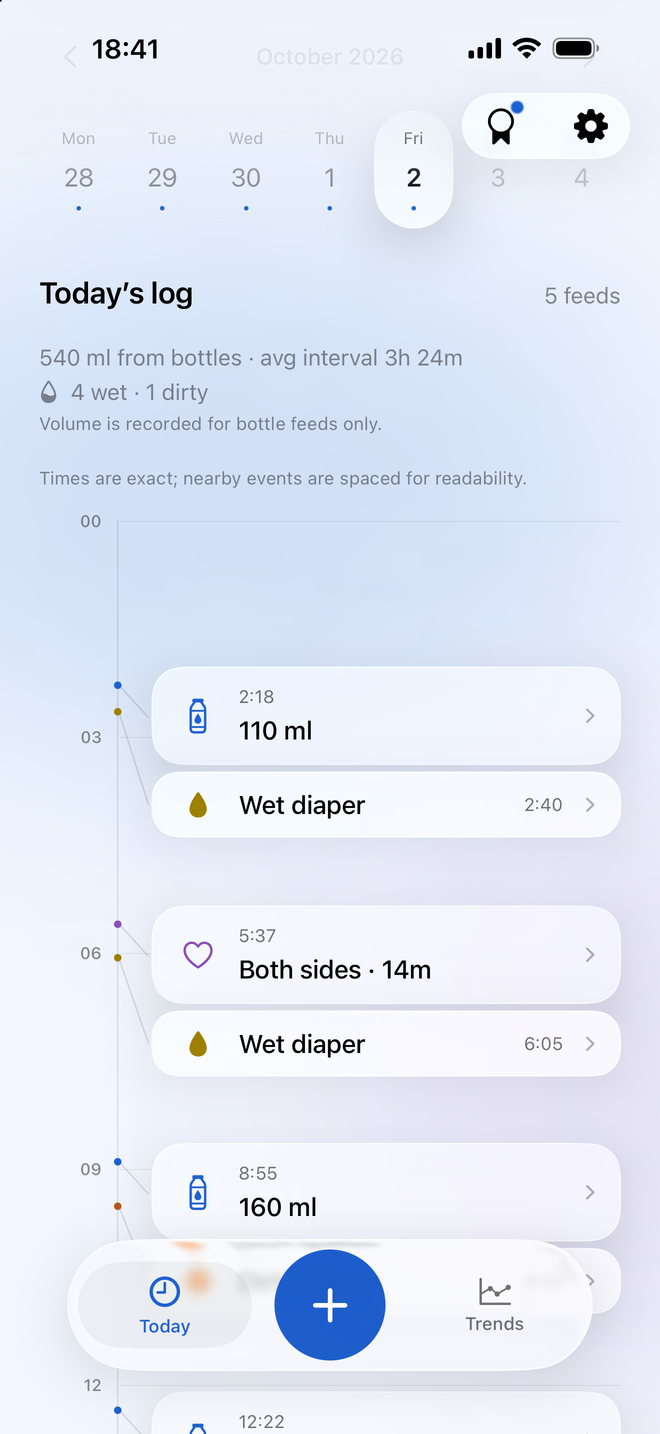
One parent handled the morning bottle. The other is taking over after a nap. A shared baby log gives both people the same place to check the last feed and the changes already recorded.
Instead of keeping two separate logs, both parents can contribute to the baby’s activity in Milksy. Today and Trends use the shared records.
Invite your partner from Family settings
Milksy uses Apple CloudKit for family sharing. The family owner creates a private invitation from the app; the partner accepts it to join. Both parents need to be signed in to iCloud.
- Install Milksy on both parents’ devices and sign in to iCloud.
- On the owner’s device, open Family in Settings and choose Invite partner.
- Send the private iCloud invitation using the system sharing options.
- Accept the invitation on the partner’s device, then check the shared activity.
Feeds and changes, in context
Shared activity includes breastfeeding, bottles and diapers. That means a partner can check a saved nursing session, see a bottle amount, or add a diaper change without maintaining a separate record.
Sharing also covers supported sleep, pumping and medication or vitamin records. The important part is one place to look when either parent takes over.
When a connection needs attention
Entries are saved locally on the device, and synchronization depends on iCloud and connectivity. Updates may take time to arrive; Milksy does not promise instant delivery.
Family settings show sync status and a Retry sync action. If sharing needs attention, check iCloud sign-in and connectivity on both devices and use the status shown in the app.
Useful questions
How does Milksy sync between parents?
Milksy uses Apple CloudKit with a private family invitation. The owner invites a partner through Family settings, and shared activity is synchronized using iCloud.
Do both parents need iCloud?
Yes. iCloud must be available on both parents’ devices for CloudKit family sharing.
Can either parent send the invitation?
The family owner sends the invitation. A partner who joined the shared family cannot create an invitation from that household.
Is synchronization always instant?
No. Synchronization depends on iCloud and network availability. Milksy saves entries locally and provides sync status and a retry action in Family settings.
A little less to remember.
Try Milksy on iPhone or iPad. Check the App Store for current compatibility and availability.
Download on the App Store