 Milksy Get Milksy
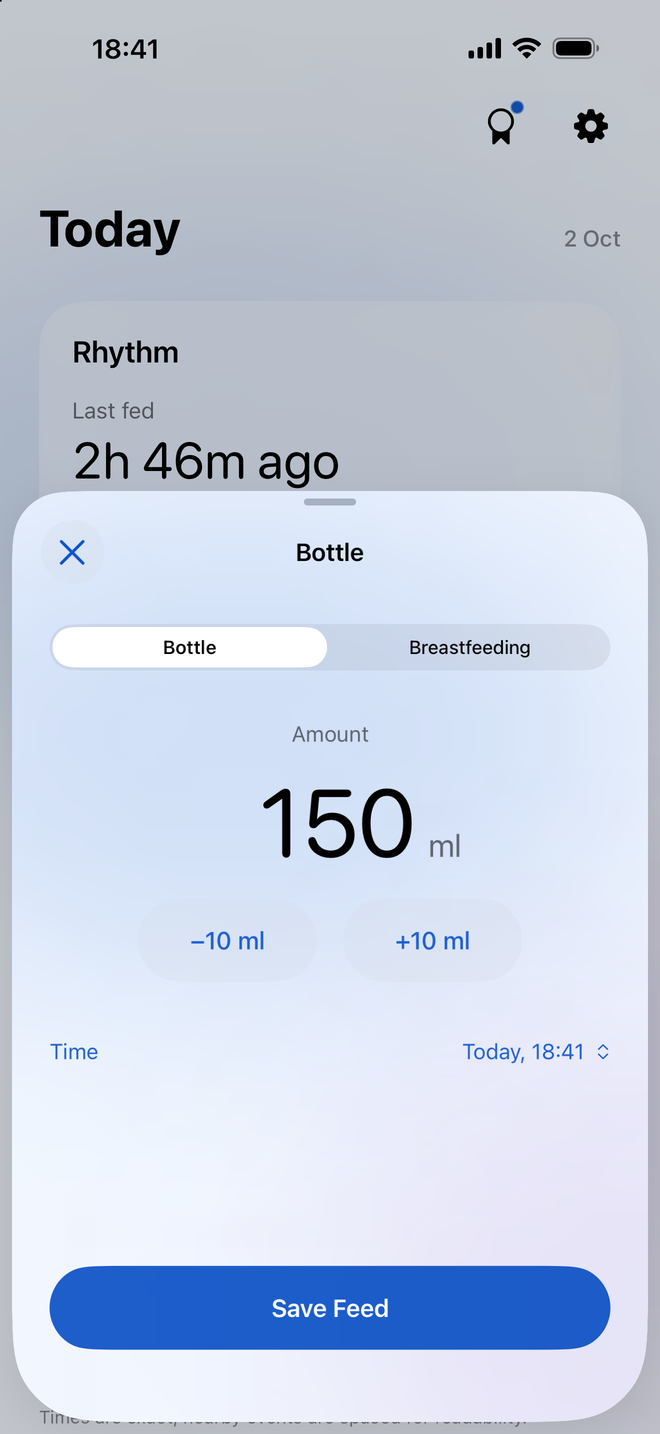
Record what happened
Add a bottle feed, enter the amount in millilitres, and save. Quick amount controls help you adjust the number without a long form. You can also set the time if you’re logging a feed after it happened.
The log records the amount you enter. Use that field consistently for your own records, especially if a bottle was not finished.
Check the last bottle before the next handover
Bottle entries appear in the Today timeline with their time and amount. When someone else takes over, the record provides a practical reference without another message asking when the last feed happened.
With family sharing enabled, both parents can add feeds to the same baby log through Apple CloudKit.
See volume over time
Trends summarize bottle volume and feeding activity from the entries you save. Looking back over several days can be more useful than trying to reconstruct them from memory.
Bottle volume totals describe logged bottles. They do not include milk intake from breastfeeding, and they are not a recommended daily amount.
Room for mixed feeding
If your day includes both bottles and nursing, Milksy keeps them together. Use the breastfeeding timer for nursing sessions and the bottle logger for measured amounts. You can edit earlier entries when something needs correcting.
Useful questions
Which unit does the bottle log use?
Milksy records bottle amounts in millilitres (ml). The logger includes quick amount adjustments.
Can I enter a bottle feed later?
Yes. You can choose the feed time when logging a bottle and edit the entry later if needed.
Does the app recommend a bottle amount?
No. Milksy records the amounts you enter and shows your log’s trends. It does not prescribe feeding amounts.
A little less to remember.
Try Milksy on iPhone or iPad. Check the App Store for current compatibility and availability.
Download on the App Store